An AI image generation tool uses artificial intelligence to create images from text prompts, reference images, or other instructions. These tools are changing how creators, marketers, designers, freelancers, and businesses produce visual content. Instead of starting every design from scratch, users can describe an idea and generate a visual concept within seconds.
Modern AI image generators can support creativity, productivity, efficiency, automation, and visual experimentation. They can create illustrations, product concepts, social media graphics, marketing visuals, backgrounds, characters, and other creative assets. Some tools can also edit existing images, remove objects, expand backgrounds, or generate multiple variations.
For creators, the biggest advantage is flexibility. An AI image generation tool can turn a simple idea into several visual directions quickly. However, good results still depend on clear instructions, careful editing, human creativity, and responsible use. Understanding how these tools work can help you choose the right solution and build a practical AI-assisted design workflow.
What Is an AI Image Generation Tool?
An AI image generation tool is software that uses machine learning models to create or modify visual content based on user instructions. The most common approach involves entering a text prompt that describes what the desired image should contain.
For example, a user could request a futuristic workspace with large windows, natural lighting, modern furniture, and a cinematic atmosphere. The AI system interprets those instructions and produces one or more visual results.
Some tools also support image-to-image generation. In this workflow, users provide an existing image and ask the AI to transform its style, composition, background, colors, or other visual elements. This gives creators more control than starting entirely from text.
AI image generators are useful for both professionals and beginners. A designer can use them for concept development, while a small business owner can create early marketing visuals without advanced graphic-design skills.
The technology does not eliminate the need for human creativity. Instead, it provides a faster way to explore ideas and create visual starting points.
How Does an AI Image Generation Tool Work?
Most AI image generation systems rely on sophisticated machine learning models trained to understand relationships between visual information and language. When a user enters a prompt, the system processes the text and uses its learned representations to create an image matching the requested characteristics.
The process generally begins with prompt interpretation. The model identifies important elements such as subjects, objects, environment, style, composition, lighting, colors, and other instructions.
Many modern systems use diffusion-based approaches or related generative architectures. Rather than simply retrieving an existing picture, these systems generate visual information according to patterns learned during training.
The quality of the result depends on several factors. These include the model itself, prompt clarity, available controls, image dimensions, reference images, and editing settings.
For example, “a car” provides very little creative direction. A more detailed prompt could specify the vehicle type, environment, camera angle, lighting, mood, composition, and intended visual style.
Clear instructions usually give creators more control over the output.
Key Features of AI Image Generation Tools
Today’s AI image generators offer much more than basic text-to-image creation. Depending on the platform, users may find features such as text-to-image generation, image editing, background replacement, image expansion, object removal, style transformation, image variations, and reference-image support.
Text-to-image generation remains one of the most popular capabilities. Users describe a visual concept and allow the model to create several possibilities.
Image editing is equally important. Creators can select a specific area and instruct the AI to change it while keeping the rest of the image relatively consistent. This can be useful when correcting backgrounds, replacing objects, or experimenting with different design concepts.
Some platforms also provide controls for aspect ratio, resolution, composition, style, and visual consistency. These options are especially useful for professional workflows.
Another increasingly important feature is multimodal input, where users can combine text, images, and other forms of context to guide generation.
When evaluating a tool, focus on features that solve your actual creative problems instead of choosing a platform simply because it has the longest feature list.
Benefits of Using an AI Image Generation Tool
The biggest benefit of AI image generation is speed. A creator can explore multiple visual concepts in a fraction of the time required for traditional manual production.
AI can also reduce the cost of early-stage experimentation. Instead of hiring a designer for every rough concept, a business can use AI to develop initial ideas and then have a professional refine the strongest direction.
Another benefit is accessibility. Beginners can experiment with visual creation without mastering advanced design software first.
AI image tools can also support creative exploration. A creator can quickly test different colors, environments, compositions, characters, and visual styles.
For freelancers, this can improve productivity. A freelancer working on a website project could generate several background concepts, marketing ideas, or visual references before creating the final assets.
However, speed should not become the only objective. High-quality content still requires human review, good design principles, accurate information, and a clear understanding of the intended audience.
AI Image Generation Use Cases for Creators and Businesses
AI image generation has applications across many industries. Content creators can use it for thumbnails, illustrations, social media graphics, story concepts, and visual experiments.
Marketers can generate campaign concepts, promotional imagery, product scenes, and advertising ideas. E-commerce businesses can use AI-assisted workflows to explore product backgrounds and promotional compositions.
Web designers can create visual concepts for landing pages and websites. Writers can use generated illustrations to visualize fictional worlds or explain complex concepts.
Education is another potential use case. Teachers and educational creators can develop custom illustrations for learning materials, provided the visuals are accurate and appropriate for the subject.
Small businesses can also use AI to explore branding concepts before working with a professional designer.
The best use case depends on the user’s goal. AI-generated visuals work particularly well for ideation, experimentation, rapid prototyping, and certain production tasks.
Creators should still review generated images carefully when accuracy matters, especially for technical, scientific, historical, or product-related content.
AI Image Generator for Marketing, Social Media, and Content Creation
Social media creators need visual content frequently, and AI image generation can help increase production speed. A creator can develop multiple concepts for Instagram posts, blog illustrations, promotional campaigns, thumbnails, and other digital assets.
For example, a technology website could create a futuristic illustration for an article about artificial intelligence. A food business might generate several visual concepts for a seasonal campaign before selecting a final design direction.
AI can also help maintain visual consistency when a creator develops a content series. However, consistency depends on the tool and the instructions provided.
A useful workflow is to establish brand guidelines before generating content. Define preferred colors, visual mood, composition, typography requirements, and audience expectations.
Do not publish every generated image immediately. Check the image for unusual details, distorted objects, inaccurate text, inconsistent branding, and other errors.
For social media, also create images in the appropriate aspect ratio. A design created for a website banner may not work well as a vertical mobile post.
AI Image Generation for Product Design and Creative Workflows
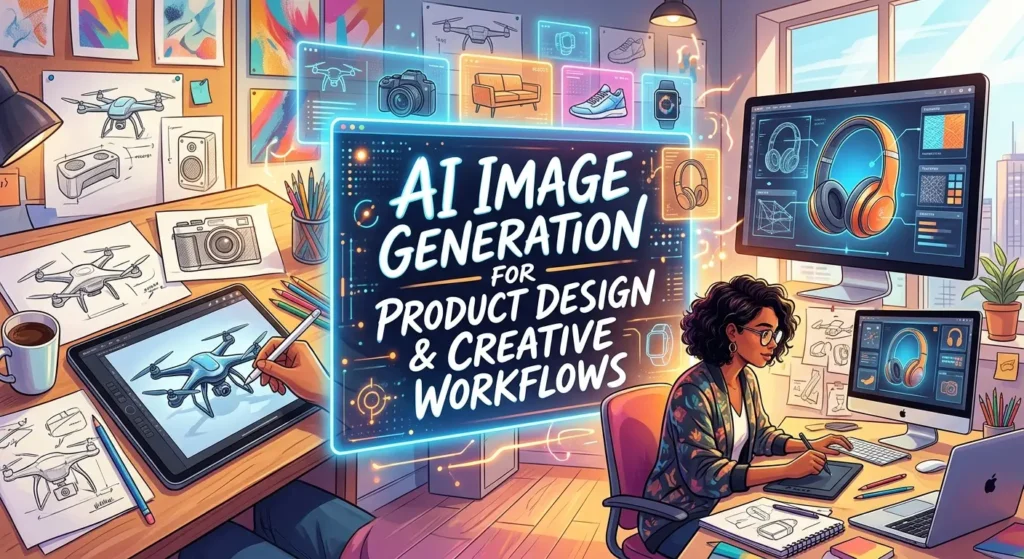
Product designers can use AI image generation during the early stages of development. Instead of creating every concept manually, they can explore multiple directions quickly.
For example, a designer working on a new consumer product might generate different packaging concepts, color combinations, environments, and presentation styles. These outputs can act as visual references rather than final production assets.
AI can also help teams communicate ideas. A rough concept that is difficult to explain in words can become a visual mockup that stakeholders can discuss.
Creative professionals can combine AI generation with traditional software. They might use AI to create a starting image, then refine it in a professional design application.
This hybrid approach often provides better control than relying entirely on automated generation.
Use AI for exploration and acceleration, then apply human design expertise to finalize important assets.
This approach is particularly useful when a project requires precise branding, product accuracy, or repeatable visual standards.
Free vs Paid AI Image Generation Tools
Many AI image generation platforms offer free access with limitations. Free plans can be useful for learning prompt writing, testing different visual concepts, and understanding how a particular model behaves.
However, free plans may limit the number of generations, resolution, editing capabilities, processing speed, or access to advanced models.
Paid plans may provide higher usage limits, faster generation, better output quality, advanced editing, larger image sizes, commercial-use options, or additional creative controls.
The right choice depends on how often you generate images and what you need them for.
A beginner may not need a paid subscription immediately. If you only create a few images each week, a free plan may be enough.
Professional creators with high-volume workflows may benefit from paid access because time saved can become more valuable than the monthly subscription cost.
Before paying, review the current pricing, usage limits, commercial terms, and export restrictions. AI services can change their plans frequently.
How to Choose the Best AI Image Generation Tool
There is no single AI image generator that is perfect for every creator. The best option depends on your goals, experience, budget, and required level of control.
Start by identifying your primary use case. Do you need realistic images, illustrations, marketing graphics, concept art, product visuals, or editing capabilities?
Next, evaluate image quality, prompt accuracy, editing tools, consistency, generation speed, resolution, ease of use, and available integrations.
Commercial users should pay special attention to licensing and usage terms. If you plan to use generated images for advertisements, websites, products, or client projects, make sure the platform’s current terms support your intended use.
Also consider the user interface. A technically powerful tool may still be inconvenient if it takes too long to produce the type of content you need.
The best approach is to test several options using the same prompts. Compare how well each tool handles your actual workflow rather than relying only on promotional claims.
Prompt Engineering Tips for Better AI-Generated Images
Prompt quality can significantly influence image-generation results. A useful prompt should explain the subject, setting, composition, lighting, visual direction, mood, and important details.
Instead of writing “a business office,” provide more useful context. You might describe a modern office, large windows, natural daylight, professional atmosphere, realistic photography, clean composition, and a specific camera perspective.
You can also specify what you do not want when the platform supports negative prompts or exclusion instructions.
Experiment systematically. Change one part of the prompt at a time so you can understand which instruction affects the output.
Reference images can also improve consistency when a platform supports them.
Avoid adding dozens of unnecessary keywords. More words do not automatically produce better images. Clear and relevant instructions usually work better than long lists of random style terms.
Keep a record of successful prompts. This creates a reusable prompt library that can save time on future projects.
Pros and Cons of AI Image Generation
AI image generation offers several advantages. It can save time, reduce repetitive work, support rapid experimentation, and make visual ideation accessible to beginners.
It can also help creators explore ideas before investing significant resources into a final production process.
However, there are limitations. Generated images may contain visual inconsistencies, incorrect details, unnatural objects, or problems with text and typography.
Another challenge involves intellectual property and commercial use. The legal and licensing environment surrounding AI-generated content continues to develop, and rules can vary by jurisdiction and platform.
Creators should also consider originality. If everyone uses similar prompts and styles, visual content can become repetitive.
The best response is not to avoid AI entirely. Instead, use it responsibly and add meaningful human input.
AI can accelerate the creative process, but it does not automatically guarantee originality, accuracy, or professional quality.
AI Image Generation Integrations and Creative Software
AI image generation becomes more powerful when it connects with the rest of a creator’s workflow. Depending on the platform, integrations may connect AI tools with design applications, cloud storage, content-management systems, marketing platforms, or productivity software.
For example, a designer might generate a concept with an AI tool, move the result into an image editor, refine the composition, add brand typography, and export the final asset for a website.
Marketing teams can combine AI-generated visuals with campaign planning and content-management workflows.
Integrations can also reduce repetitive file handling. Instead of downloading and uploading files between multiple applications, connected workflows can make creative production more efficient.
However, creators should review permissions before connecting external applications. Convenience should not come at the expense of privacy or account security.
Choose integrations that actually remove a bottleneck in your workflow.
Common Mistakes When Using an AI Image Generation Tool
One of the most common mistakes is writing vague prompts and expecting highly specific results. AI needs useful context to understand what you want.
Another mistake is accepting the first generated image. Generative AI is designed for exploration, so creators should compare multiple versions and refine their instructions.
Ignoring small errors can also reduce quality. Check hands, faces, text, objects, logos, proportions, backgrounds, and other important details.
Creators should also avoid relying on AI for facts that require accuracy. An attractive image can still contain incorrect information.
Another common mistake is using AI-generated images without checking licensing or platform terms.
Finally, avoid making every visual look exactly the same. Human art direction is valuable because it creates distinctive visual identity.
Use AI as a starting point, then add your own creative decisions.
Latest AI Image Generation Trends and Future Developments
AI image generation continues to move toward greater control, stronger consistency, and more integrated creative workflows. Models are becoming better at following detailed instructions and understanding relationships between multiple visual elements.
One important trend is multimodal creation. Users can increasingly combine text, reference images, sketches, and other inputs to guide visual generation.
Another trend involves editing rather than simple generation. Creators want to change one element while preserving the rest of an image. More precise editing controls can make AI tools more useful for professional work.
Brand consistency is also becoming increasingly important. Businesses need systems that can generate visual variations while maintaining recognizable design characteristics.
AI image tools are also becoming part of larger creative platforms rather than standalone generators.
Looking ahead, creators can expect more sophisticated workflows where images, video, audio, text, and design assets work together.
The technology will continue to evolve, but the fundamental advantage will remain the same: AI can help creators move from an idea to a visual concept faster while leaving final creative direction in human hands.
The most successful creators will likely focus on developing strong creative judgment alongside technical AI skills.
Frequently Asked Questions About AI Image Generation Tools
What is an AI image generation tool?
An AI image generation tool is software that uses artificial intelligence to create or modify images based on text prompts, reference images, or other instructions.
How does an AI image generator create pictures?
The system processes a user’s instructions and uses a trained generative model to create visual content that matches the requested characteristics. Many systems use diffusion-based or related generative techniques.
What can an AI image generation tool create?
Depending on the platform, it can create illustrations, realistic scenes, concept art, marketing visuals, social media graphics, backgrounds, product concepts, characters, and other digital images.
Are AI image generators free?
Some offer free plans or limited free generations. Paid plans generally provide higher usage limits, additional features, faster processing, or higher-quality outputs.
Can AI-generated images be used commercially?
Commercial use depends on the specific platform’s terms, the type of content generated, and applicable laws. Always check the current licensing and commercial-use rules before using an image for business purposes.
How can I get better results from an AI image generator?
Use clear prompts that describe the subject, environment, composition, lighting, mood, and important visual details. Generate multiple versions and refine your instructions based on the results.
Can AI image generators edit existing photos?
Many modern tools provide image-editing capabilities such as background replacement, object removal, image expansion, style changes, and localized modifications. Available features vary by platform.
Are AI-generated images high quality?
Many modern systems can produce highly detailed images, but quality varies by tool and prompt. Generated content can still contain artifacts or inaccurate details, so human review remains important.
What is the difference between text-to-image and image-to-image generation?
Text-to-image generation creates an image primarily from written instructions. Image-to-image generation uses an existing image as part of the input and modifies or transforms it according to additional instructions.
Do I need design skills to use an AI image generation tool?
No. Beginners can use simple prompts to generate images. However, knowledge of composition, lighting, branding, and visual design can help users produce more consistent and professional results.
Will AI image generators replace designers?
AI can automate certain design tasks and speed up visual production, but professional design also involves strategy, communication, brand understanding, creative direction, and human judgment. AI is often most useful as an additional creative tool.
Conclusion
An AI image generation tool can transform the way creators approach visual content. It can turn ideas into concepts quickly, support experimentation, automate repetitive tasks, and help individuals and businesses produce more visual content with fewer resources.
The technology is especially useful for brainstorming, marketing, social media, product concepts, illustrations, and rapid visual prototyping. At the same time, creators should remember that AI-generated output still requires human direction, editing, fact-checking, and quality control.
The best results come from combining strong prompts, thoughtful art direction, responsible AI use, and human creativity. Instead of trying to automate every part of the creative process, use AI where it provides clear value.
As image-generation technology continues to develop, creators who learn how to integrate AI into their existing workflows can work faster while maintaining their own creative identity and standards.