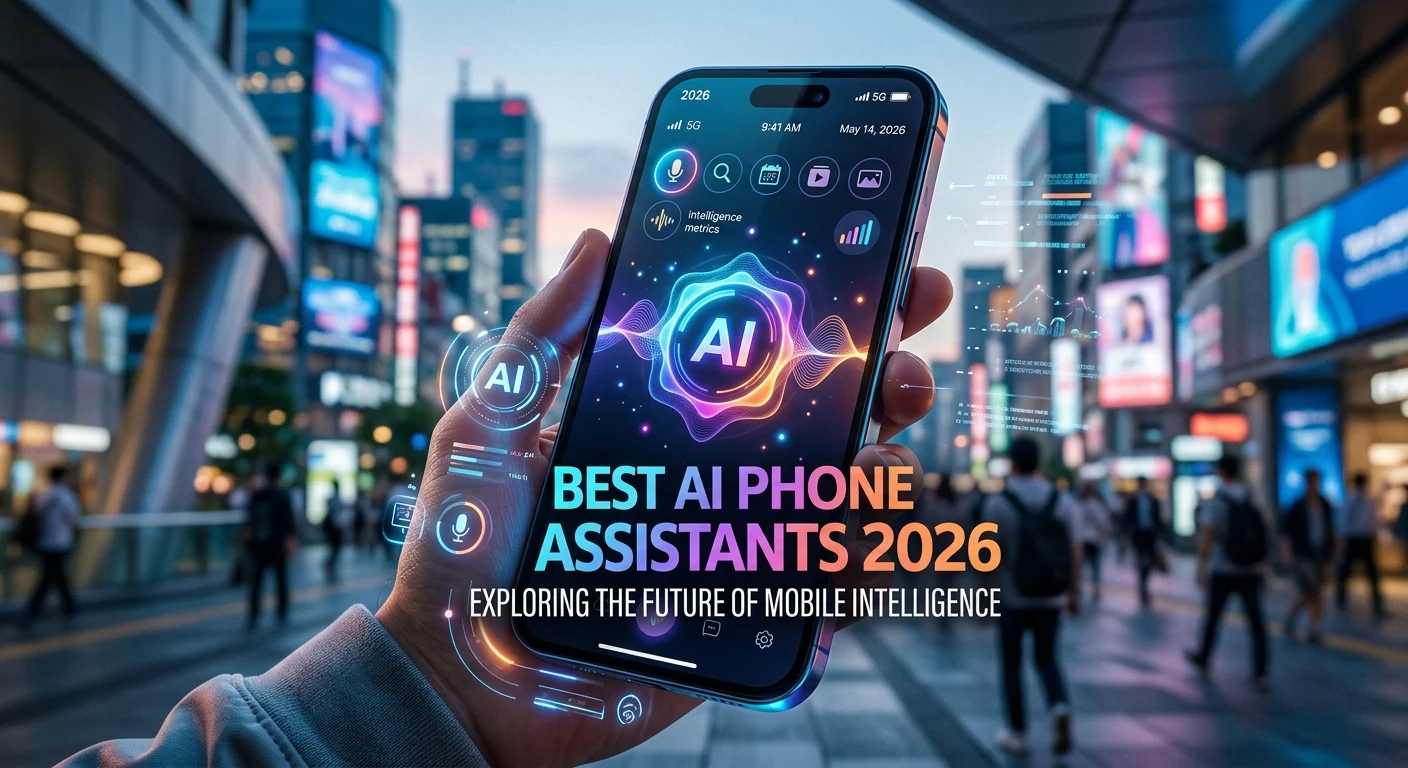
Smartphones are becoming more than communication devices. In 2026, AI assistants can help users search for information, summarize content, draft messages, understand images, manage everyday tasks, translate conversations, and interact with apps more naturally. The best AI phone assistants 2026 are increasingly built directly into mobile operating systems, making AI available without constantly switching between separate applications.
Major platforms are taking different approaches: Google emphasizes Gemini and Android integration, Apple is expanding Apple Intelligence and Siri, while Samsung combines Galaxy AI capabilities with assistant experiences on Galaxy devices. (Stuff) Choosing the right assistant depends on your phone, preferred ecosystem, privacy expectations, daily tasks, and how much automation you want. This guide explains how AI phone assistants work, their features, benefits, limitations, pricing, alternatives, and the trends shaping mobile AI in 2026 and beyond.
What Are the Best AI Phone Assistants in 2026?
AI phone assistants are intelligent software systems designed to help smartphone users complete tasks through natural language, voice commands, text, images, and increasingly multimodal interactions. Instead of navigating through multiple menus, users can describe what they need and receive an answer or assistance with a task.
Modern assistants go beyond traditional voice commands. They can understand context, summarize information, help write messages, analyze visual content, answer questions, and interact with other parts of the phone. The exact capabilities depend on the operating system, device model, region, language, and software version.
Google’s Gemini, Apple’s newer Siri AI, and Samsung’s Galaxy AI ecosystem represent some of the major approaches to mobile AI in 2026. Apple announced a substantially redesigned Siri AI with personal context, onscreen awareness, web knowledge, and broader actions across apps. (Apple)
The best assistant for you therefore depends less on a universal ranking and more on how well the assistant works with your particular smartphone and the tasks you perform every day.
How AI Phone Assistants Work
AI assistants combine several technologies to understand and respond to users. These can include speech recognition, natural-language processing, large language models, computer vision, machine learning, and software integrations.
When you speak to an assistant, speech recognition can convert your voice into text or structured commands. An AI model then interprets your request and determines an appropriate response. If the request involves an image, the system may also use visual understanding to analyze what is shown.
Some AI processing can happen directly on the device, while other requests may use cloud-based computing. On-device processing can offer advantages for speed, availability, and privacy, while cloud processing can provide access to larger models and more computational power.
Apple says its next-generation Apple Intelligence architecture combines on-device models with Private Cloud Compute for supported requests. Apple also states that data processed through Private Cloud Compute is not stored or made accessible to Apple. (Apple)
The result is a hybrid approach in which the phone decides, depending on the feature and platform, where different AI operations should happen.
Key Features to Look for in AI Phone Assistants
The most useful AI assistants combine conversational understanding with practical mobile features. Natural-language interaction is one of the most important capabilities because it allows users to communicate without memorizing specific commands.
Another valuable feature is context awareness. A capable assistant should understand follow-up requests instead of treating every sentence as a completely separate conversation.
Multimodal understanding is also becoming increasingly important. Instead of only accepting text or voice, modern assistants can work with images, screenshots, camera input, and information displayed on the screen.
Important features to consider include:
- Voice conversations
- Text-based AI assistance
- Natural-language search
- Screen or visual understanding
- Image analysis
- Writing assistance
- Translation
- Summarization
- Reminder and organizational support
- App integration
- Web information
- Personalization
- On-device AI processing
- Cloud AI processing
- Cross-device continuity
A good assistant should also be reliable and easy to access. An impressive AI model is less useful if reaching it requires several complicated steps.
Benefits of Using AI Assistants on Smartphones
The biggest advantage of mobile AI assistants is convenience. Your phone is usually with you, so having an intelligent assistant available at any time can make everyday tasks faster.
AI can reduce the time required to write messages, summarize long content, search for information, translate text, or understand something visible on the screen.
AI assistants can also improve productivity. Students, professionals, creators, and everyday users can use AI to organize ideas, create drafts, understand information, and plan activities.
Another benefit is accessibility. Voice-based interaction can make certain smartphone functions easier to use for people who find traditional interfaces difficult.
AI can also support creativity. A user might ask an assistant to brainstorm ideas, rewrite a paragraph, explain a concept, or suggest different approaches to a project.
The real value comes from reducing friction. Instead of opening several apps and manually completing every step, users can increasingly describe their goal and let the assistant help organize the process.
Google Gemini and Android AI Assistant Features
Google’s Gemini is a major part of Google’s mobile AI strategy. Android users can access Gemini for conversational assistance, information retrieval, writing support, image understanding, and other AI-powered tasks depending on the device and available features.
One reason Gemini is important on phones is its connection to Google’s broader ecosystem. Android users may benefit from AI capabilities connected to services and features already present on their devices.
Google’s approach increasingly treats AI as part of the smartphone experience rather than simply a separate chatbot application. This can make AI useful for everyday activities such as asking questions, understanding content, brainstorming, and interacting with supported services.
However, capabilities vary across devices and regions. A feature available on one Pixel or Android phone may not be available on another model.
When comparing Android AI assistants, check device compatibility, Android version, supported languages, regional availability, and account requirements rather than assuming every Android phone provides identical capabilities.
Apple’s Siri AI and Apple Intelligence
Apple has significantly expanded its AI assistant strategy in 2026 with a redesigned Siri AI powered by Apple Intelligence. Apple announced that the new Siri can use personal context, onscreen awareness, broad world knowledge, and systemwide actions to help users complete tasks. (Apple)
One notable direction is deeper integration with the Apple ecosystem. Apple says Siri AI can work across messages, emails, photos, and other information while also performing actions across apps. It can understand what is displayed on the screen and use visual information through newer capabilities. (Apple)
Apple is also emphasizing privacy. Its announced architecture combines on-device processing with Private Cloud Compute for certain requests. (Apple)
For Apple users, this makes ecosystem integration an important consideration. The experience may be especially attractive to people who already use multiple Apple devices and want AI assistance connected across them.
Availability remains an important factor because Apple’s announced Siri AI features have specific device, language, region, and software requirements. Apple says the new Siri AI is being introduced through developer testing before broader beta availability. (Apple)
Samsung Galaxy AI and Mobile Assistant Features
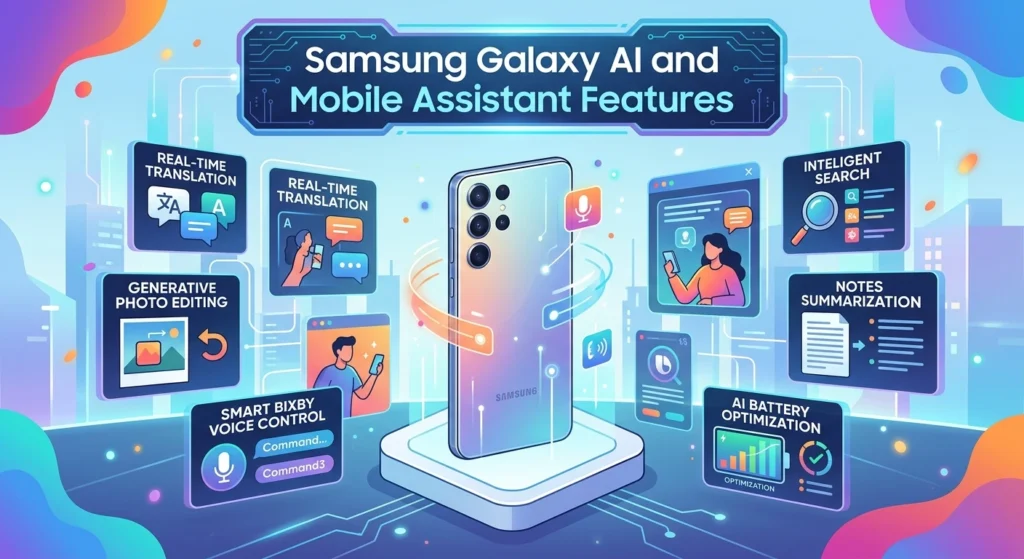
Samsung has developed a broad collection of AI features under the Galaxy AI branding. These capabilities are integrated into supported Galaxy smartphones and can assist with communication, translation, productivity, photography, and other tasks.
Samsung’s approach is different from simply offering a chatbot. AI capabilities can appear directly inside everyday phone functions, allowing users to interact with features where they already work.
This type of integration can be useful because users do not always want to open a dedicated AI application. They may want help while editing a photograph, translating a conversation, writing a message, or performing another phone task.
Galaxy devices also offer a broad Android ecosystem, which can provide flexibility for users who want access to Google’s AI services alongside Samsung’s own features.
When choosing a Galaxy phone for AI, check the exact model and supported Galaxy AI features. AI functionality can differ across devices and software versions.
AI Phone Assistants for Productivity, Writing, and Communication
One of the most practical uses of mobile AI is improving communication. Assistants can help users draft messages, rewrite text, summarize long information, or adjust the tone of writing.
For example, if you have a rough message that needs to sound more professional, AI can help restructure it. You can then review the result and make sure it accurately represents what you want to say.
AI can also help summarize long notes or information. This can be useful when you need a quick overview before deciding whether to read the full content.
Translation is another important application. Modern phones can increasingly use AI to assist with understanding different languages through text, voice, and other inputs.
The best practice is to treat generated writing as a draft rather than an automatic final answer. Review important messages, especially when accuracy or personal context matters.
AI Assistants for Camera, Images, and Visual Understanding
Smartphone AI is becoming increasingly visual. Instead of only asking an assistant questions with text, users can show the AI something through a camera or screenshot.
Apple’s announced Siri AI, for example, includes visual capabilities that can understand content seen through the camera and provide information or actions based on that content. (Apple)
Visual AI can support tasks such as identifying objects, understanding screenshots, explaining diagrams, analyzing documents, or helping users interact with information on their screen.
AI photography is another major area. Modern smartphones increasingly use AI to improve images, remove unwanted elements, adjust composition, or assist with creative editing.
However, users should remain careful about privacy when sharing photographs or documents with AI services. Avoid uploading confidential or sensitive information unless you understand how the service handles it.
Free vs Paid AI Phone Assistants
Many smartphone AI assistants provide core capabilities without requiring a separate subscription. These built-in features can offer significant value because they are already integrated into the operating system.
Some advanced AI services may offer premium subscriptions for higher usage limits, access to more capable models, additional features, or expanded cloud processing.
The free-versus-paid decision depends on how frequently you use AI. Someone who occasionally asks questions or rewrites text may not need a premium plan.
A heavy user may value higher limits or more advanced capabilities. Before subscribing, check the current pricing and exactly which features the subscription unlocks.
Also remember that device compatibility matters. Paying for an AI service does not necessarily make every feature available on every smartphone.
A good strategy is to use the built-in AI features first and upgrade only if a specific paid capability solves a problem you regularly encounter.
AI Phone Assistant Privacy and Security
Privacy is one of the most important factors when choosing an AI assistant. Phones contain highly personal information, including messages, photos, contacts, documents, locations, and account data.
Users should understand whether an AI request is processed locally, sent to a cloud service, or handled through a combination of both.
On-device AI can reduce the need to transmit certain information, although privacy depends on the complete system and application. Cloud AI can provide powerful processing but requires users to understand how their information is handled.
Apple specifically highlights Private Cloud Compute as part of its AI architecture and says user data processed there is not stored or accessible to Apple. (Apple)
Regardless of platform, review permissions, privacy settings, data policies, account controls, and app access. Do not provide unnecessary sensitive information to an AI assistant.
Privacy should be treated as a feature, not an afterthought.
Pros, Cons, and Limitations of AI Phone Assistants
AI assistants can save time, improve accessibility, support communication, and make smartphone features easier to use. Their ability to understand natural language can also reduce the need to navigate complicated menus.
Another advantage is personalization. When properly integrated into an operating system, an assistant can potentially understand relevant context and provide more useful assistance.
However, AI assistants can make mistakes. They may misunderstand a request, provide inaccurate information, or interpret context incorrectly.
There are also limitations around device support, language availability, internet connectivity, regional restrictions, and app integration.
Privacy is another consideration. A highly personalized assistant may need access to more information to provide more useful responses. Users should balance convenience with the amount of access they are comfortable granting.
Finally, AI should not replace careful judgment. For important decisions, verify information with reliable sources rather than assuming an AI response is automatically correct.
Common Mistakes When Using AI Phone Assistants
One common mistake is assuming the assistant knows everything about your situation. AI systems can misunderstand context, particularly when a request is vague.
Another mistake is accepting generated information without checking it. AI assistants are useful for research and explanations, but important facts should be verified.
Users should also avoid granting unnecessary permissions. If an AI feature does not need access to a particular category of information, consider whether that permission is necessary.
Another mistake is paying for premium AI features without first testing the free capabilities. Many users can accomplish their everyday tasks with built-in tools.
Finally, avoid treating AI as a replacement for human communication. A generated message may be grammatically polished but still sound impersonal.
The strongest results come from clear instructions, appropriate permissions, human review, and responsible use.
Latest AI Phone Assistant Trends in 2026
The biggest trend in 2026 is the movement from simple voice commands toward context-aware AI agents. Instead of merely answering a question, assistants are increasingly designed to understand what users are doing and help them complete multi-step tasks.
Multimodal interaction is another major trend. AI can increasingly combine voice, text, images, camera input, and screen content.
AI is also becoming more deeply embedded in operating systems. Rather than opening a separate chatbot, users can access AI through messaging, cameras, search, writing tools, photos, and other everyday features.
Independent reviews of 2026 AI phones highlight Google, Apple, and Samsung as major players, with features spanning translation, transcription, photo editing, writing assistance, and assistant functionality. (Stuff)
Privacy-focused AI is another important direction. As assistants become more personal, companies face greater pressure to explain how personal information is processed and protected.
The next stage is likely to focus on action-oriented AI: systems that can understand a goal, use multiple phone capabilities, and help complete a task while keeping the user in control.
How to Choose the Best AI Phone Assistant in 2026
Start with your smartphone ecosystem. If you use an iPhone, Apple’s AI features may offer the deepest system integration. Android users have a wider range of device manufacturers and AI experiences, including Google’s Gemini and Samsung’s Galaxy AI.
Next, identify your most important use case. Do you want better voice conversations? Writing help? Translation? Camera assistance? Research? Productivity? Personalization? Your priorities should determine your choice.
Check device compatibility and regional availability before making a decision. AI features can depend on hardware, software versions, language, and location.
Privacy should also influence your choice. Review how the assistant processes data and what permissions it requires.
Finally, evaluate real-world usefulness rather than marketing claims. An assistant that performs five tasks extremely well may be more useful than one that advertises fifty features but produces inconsistent results.
Frequently Asked Questions About the Best AI Phone Assistants 2026
What is the best AI phone assistant in 2026?
There is no universal winner. The best assistant depends on your phone and priorities. Google Gemini, Apple’s Siri AI, and Samsung’s Galaxy AI ecosystem represent major mobile AI approaches in 2026. (Apple)
Can AI assistants control smartphone apps?
Some assistants can interact with supported system features and apps. The exact actions depend on the phone, operating system, software version, permissions, and available integrations.
Are AI phone assistants free?
Many built-in AI capabilities are available as part of compatible smartphones. Some advanced AI services may offer paid subscriptions or usage-based features. Pricing and availability can change.
Can AI phone assistants work offline?
Some AI processing can occur on the device, while other capabilities require cloud processing or an internet connection. Offline functionality varies by phone and feature.
Which phones have the best AI features?
In 2026, major AI-focused smartphone ecosystems include Google Pixel, Samsung Galaxy, and Apple iPhone. The strongest choice depends on the specific features, hardware, software, and ecosystem you prefer. (Stuff)
Can AI assistants understand images?
Yes. Modern mobile AI increasingly supports visual understanding. For example, Apple’s announced Siri AI includes multimodal capabilities that can analyze visual information through the camera and screen. (Apple)
Are AI phone assistants safe for personal information?
Safety depends on the specific service and its privacy architecture. Users should review permissions, privacy settings, data handling policies, and processing methods before sharing sensitive information.
Can AI assistants write messages?
Yes. AI assistants can help draft, rewrite, summarize, and improve messages on supported devices and applications. Users should review generated text before sending it.
Will AI phone assistants replace traditional smartphone apps?
Probably not completely. AI may become a new interface for accessing many functions, but specialized apps will continue to provide features and controls that AI assistants cannot replace.
What is the future of AI phone assistants?
The future is likely to involve more context awareness, multimodal interaction, personalization, on-device processing, and task automation. Assistants will increasingly aim to help users complete goals rather than simply answer individual questions.
Conclusion
The best AI phone assistants 2026 are becoming an important part of the smartphone experience. Instead of functioning only as voice-command systems, modern assistants can help with writing, research, visual understanding, translation, productivity, and everyday phone interactions.
Google, Apple, and Samsung are taking different approaches, but the overall direction is similar: AI is moving closer to the operating system and becoming more context-aware. Apple’s 2026 Siri AI announcement demonstrates this shift with personal context, onscreen awareness, web knowledge, and cross-app actions. (Apple)
When choosing an AI assistant, focus on your actual needs rather than simply choosing the platform with the most features. Consider compatibility, privacy, reliability, language support, ecosystem integration, and pricing.
Most importantly, use AI as a helpful tool while keeping human judgment in control. The best mobile AI experience is not the one that does everything automatically. It is the one that makes everyday tasks easier, faster, and more useful without taking away your control.