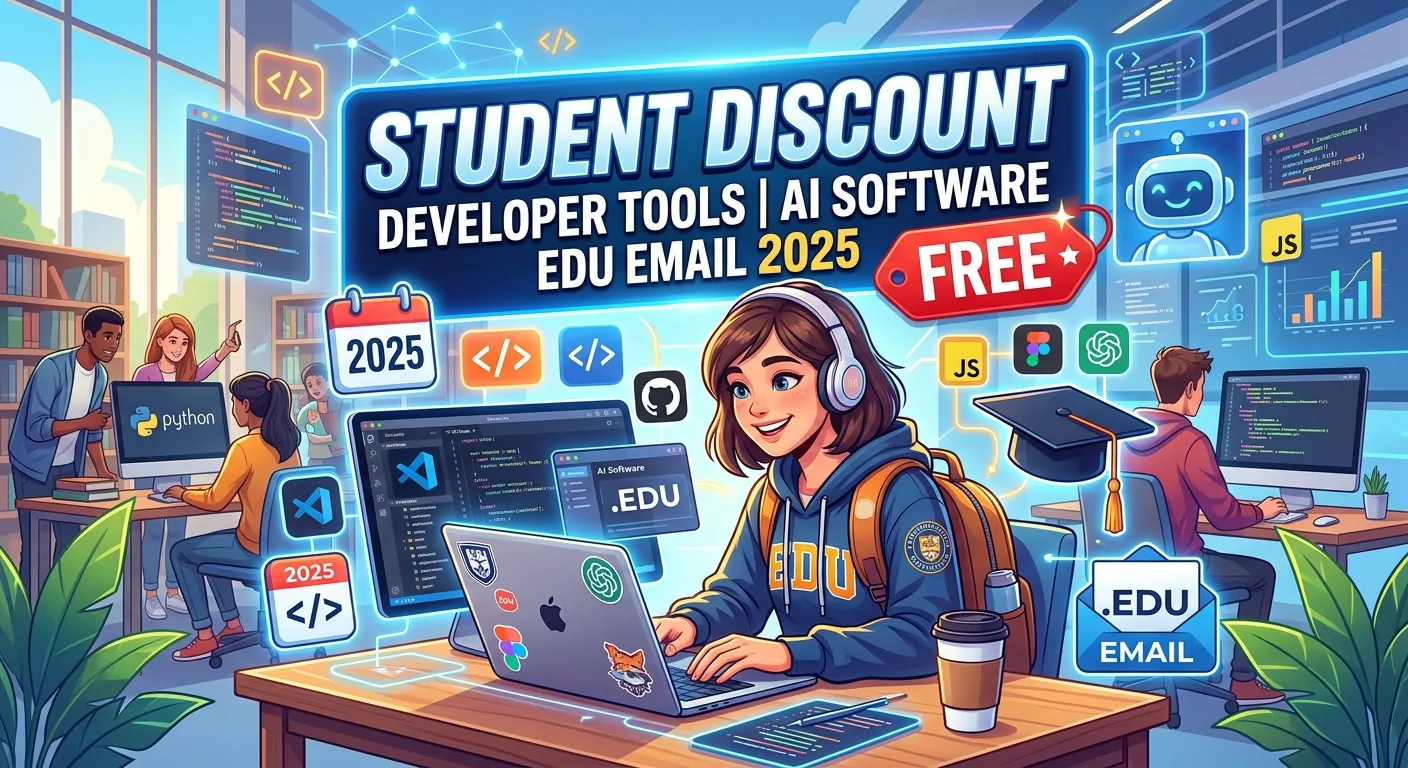
Students often face a frustrating problem: the software needed to learn programming, build projects, practice AI, deploy websites, and prepare for a technology career can become expensive very quickly. Fortunately, student discounts, educational licenses, and free developer programs can significantly reduce those costs. An academic email address can sometimes help verify student status, although many programs also accept other forms of verification.
In 2025, major education programs offered students access to development environments, cloud credits, coding platforms, productivity software, AI-assisted development features, and learning resources. Some of these programs remain available in 2026, but offers can change, so students should always check the provider’s current eligibility requirements. The goal is not to collect every free subscription. It is to build a useful toolkit that improves productivity, creativity, automation, coding skills, and real-world project experience without unnecessary expense.
What Are Student Discounts for Developer Tools and AI Software?
Student discounts are special offers that software companies provide to verified students. Depending on the provider, the offer may be completely free, heavily discounted, available for a limited period, or renewed while the student remains eligible.
Developer-focused student programs can include code editors, integrated development environments, cloud platforms, databases, hosting, version control, AI coding assistants, design applications, and technical learning platforms.
One of the best-known examples is the GitHub Student Developer Pack. GitHub says the program is available to students aged 13 or older and requires student verification. The current pack includes numerous partner offers covering development, cloud services, learning, productivity, and AI-related tools. (GitHub)
The important point is that an educational offer is not necessarily tied only to an .edu email address. Eligibility rules differ by provider, and some services accept institutional email, student identification, GitHub education verification, or other approved methods.
How an Educational Email Helps Verify Student Status
An educational email address can make student verification easier because it may demonstrate an association with a school, college, university, or other recognized educational institution.
However, students should not assume that an academic email automatically qualifies them for every offer. Providers may have additional requirements involving enrollment status, institution type, age, geographic availability, or program eligibility.
JetBrains, for example, offers free educational licenses for students and teachers. Its current guidance says students can apply using an educational institution email address, and other verification options may also be available. (Sales JetBrains)
If an educational email does not work, the correct approach is to use the provider’s official alternative verification method rather than attempting to bypass the verification process. Some companies accept recognized student identification or education-program verification.
GitHub Student Developer Pack for Free Developer Resources
The GitHub Student Developer Pack is one of the most comprehensive education programs for aspiring developers. It brings together offers from GitHub and participating partners, allowing eligible students to access a range of developer and learning resources.
Current offers include free GitHub Pro while eligible as a student, plus partner benefits involving cloud services, development environments, learning platforms, databases, productivity software, and other developer resources. (GitHub)
The pack can be especially useful for students building portfolios. A student might use GitHub for version control, a cloud platform for deployment, a database service for application data, and a learning platform to strengthen programming knowledge.
Because partner offers can change, students should treat the official GitHub Education page as the source of truth. Check the current offer, expiration date, eligibility conditions, and redemption instructions before relying on a particular benefit.
Free and Discounted JetBrains Developer Tools for Students
JetBrains provides professional development environments used for languages and technologies such as Java, Python, JavaScript, C++, PHP, Rust, and .NET. Its educational program can give eligible students access to its development tools at no cost.
JetBrains currently states that students and teachers can receive a free Student or Teacher Pack, which includes IntelliJ IDEA Ultimate and other JetBrains IDEs and .NET tools. Educational licenses are intended for educational use and cannot be used for commercial work. (Sales JetBrains)
Verification can use an educational institution email, recognized student identification, or GitHub Student Developer Pack verification, depending on the available application method. (Sales JetBrains)
This can be valuable for students who want to practice professional development workflows. Instead of learning only through basic editors, students can become familiar with features such as debugging, project navigation, code analysis, testing, and integrated development tools.
AI Coding Assistants and Student Developer Benefits
AI coding assistants can help programmers understand unfamiliar code, generate suggestions, explain errors, brainstorm approaches, and learn programming concepts. They can be particularly useful when treated as learning assistants rather than replacements for understanding.
The GitHub Student Developer Pack currently lists GitHub Copilot among its student-related offers, although the official page notes that new plan sign-ups are temporarily paused while the service undergoes changes. Existing and future availability can therefore differ. (GitHub)
Students should always verify the current status before planning a project around a particular AI service. AI products frequently change their pricing, student eligibility, usage limits, and available features.
For learning, a good practice is to ask an AI coding assistant to explain why a solution works, identify mistakes, or suggest improvements rather than simply copying generated code. This approach builds understanding and makes AI more useful as an educational tool.
Microsoft Azure Student Benefits and Cloud Credits
Cloud computing can become expensive when students experiment with servers, databases, storage, application hosting, and other infrastructure. Education programs can make cloud learning more accessible.
Microsoft currently advertises Azure for Students, offering eligible students free developer tools and a $100 Azure credit without requiring a credit card, subject to the program’s terms and eligibility requirements. (Microsoft Azure)
The GitHub Student Developer Pack also lists Microsoft Azure benefits. The current pack distinguishes between offers for students aged 18 and older and an Azure option for students aged 13–17. (GitHub)
Cloud credits can be valuable for practical learning. Students can use eligible cloud resources to experiment with web applications, APIs, databases, deployment, monitoring, and other concepts. Always monitor usage and program limits so an educational credit does not unexpectedly turn into a paid service after eligibility or promotional limits change.
Free Developer Tools for Learning and Building Projects
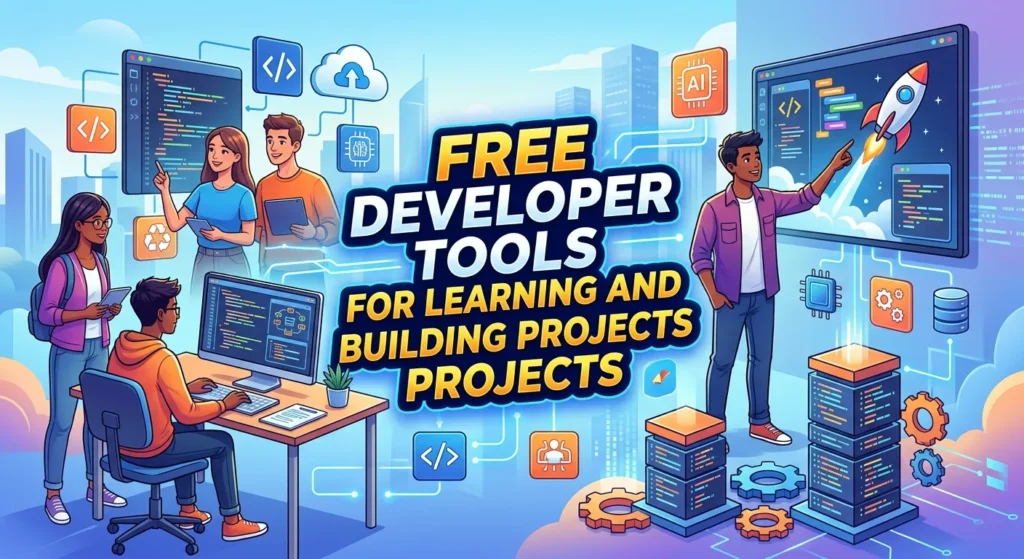
Students do not need expensive software to begin programming. Many powerful development tools offer free versions, open-source alternatives, or educational licenses.
Examples include code editors, Git repositories, command-line tools, open-source databases, browser-based development environments, and free hosting options. The GitHub Student Developer Pack expands this ecosystem with additional student offers. (GitHub)
Learning with free tools can actually be beneficial because developers often work across different environments. Understanding Git, project structure, package management, debugging, APIs, and deployment is more valuable than becoming dependent on one particular application.
A useful student setup might include a version-control platform, a development environment, a programming language, documentation resources, a cloud or local database, and an AI assistant where appropriate.
Student Discounts for Cloud, Hosting, and Databases
Cloud hosting and databases are important for students who want to move beyond classroom exercises. A deployed project can become a useful portfolio item because it demonstrates that the student understands more than writing code locally.
The GitHub Student Developer Pack currently includes cloud-related benefits such as Heroku credits, MongoDB Atlas credits, DigitalOcean credits, and Appwrite education access, although individual offers and terms can change. (GitHub)
These resources can support projects such as portfolio websites, APIs, small web applications, database-backed applications, and experimental software.
Students should avoid using cloud credits without monitoring consumption. Free credits are not unlimited, and some services can incur charges when a promotional period ends or when a student moves to a different billing arrangement.
Free Coding Courses and Educational Developer Platforms
Software discounts become more valuable when students also have access to structured learning. A professional IDE can help you write code, but guided practice helps you understand what you are building.
The GitHub Student Developer Pack currently includes learning-related benefits such as Boot.dev, DataCamp, Educative, and Codédex, with different free periods or discounts depending on the provider. (GitHub)
For example, the current GitHub Education listing says Boot.dev offers three months of free access, while Educative offers six months of access to selected practical courses. (GitHub)
Students should choose courses according to their goals. If you want to become a web developer, focus on HTML, CSS, JavaScript, frameworks, APIs, databases, Git, and deployment. If your interest is data science, prioritize Python, statistics, data analysis, machine learning, and practical projects.
Free vs Paid AI Software for Students
Free AI software can be enough for many student tasks, particularly brainstorming, explanations, basic coding assistance, summarization, and learning support. Paid plans may provide higher usage limits, faster responses, larger context windows, or advanced capabilities.
A student should not automatically pay for a premium AI subscription. First determine how often you use AI and whether the free version prevents you from completing your work.
Student programs can sometimes provide special access, but the terms vary. Some benefits may be completely free, while others provide a temporary trial or discount.
The smartest approach is to use free educational benefits first, identify genuine limitations, and only then consider paying for a premium service. This prevents unnecessary subscriptions and leaves more money for hardware, courses, books, or other educational needs.
Important Features to Look for in Student Developer Tools
When comparing student software, look beyond the word “free.” A useful tool should solve a real problem and fit your learning goals.
Important features include code intelligence, debugging, version control, collaboration, cloud integration, documentation, testing, deployment, AI assistance, accessibility, and cross-platform support.
Students should also check whether an educational license restricts commercial use. JetBrains, for example, explicitly states that its educational licenses cannot be used for commercial work. (Sales JetBrains)
Another consideration is portability. Learning concepts that transfer between tools is better than learning only where a button is located. Prioritize skills such as Git, programming fundamentals, APIs, databases, testing, and software architecture.
How to Claim Student Software Discounts Safely
The safest method is to start with the official education page of the software provider. Avoid websites that promise “unlimited student accounts,” fake academic credentials, or methods for bypassing verification.
Check the eligibility requirements before applying. Some programs require an academic email, while others accept alternative proof of student status. GitHub Education, for example, explicitly requires student verification for the Student Developer Pack. (GitHub)
Use your own legitimate student information. Never share passwords, verification codes, or sensitive account details with someone claiming they can unlock a student discount.
After approval, read the terms carefully. Check license duration, renewal requirements, commercial-use restrictions, usage limits, and what happens when your student eligibility ends.
Common Mistakes Students Make With Free Developer Software
One common mistake is signing up for too many services. Having dozens of accounts does not automatically improve programming skills. It can actually create distraction and make it harder to remember which tool does what.
Another mistake is collecting free credits without building anything. Cloud credits, IDE licenses, and AI access are valuable only when they support real learning.
Students should also avoid copying AI-generated code without understanding it. Generated code can contain errors, security problems, outdated approaches, or unnecessary complexity. Use AI to learn and accelerate your thinking, not to avoid thinking.
Finally, remember that educational licenses may have restrictions. A free student license is not necessarily a free commercial license. Always check the provider’s terms before using educational software for paid work.
Best Student Developer Toolkit for Different Learning Goals
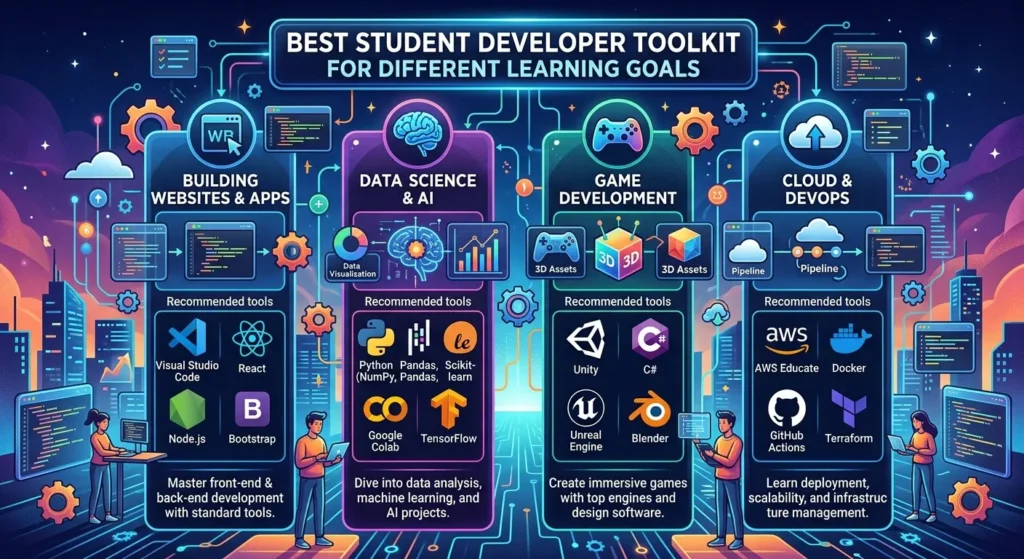
A student learning web development can focus on GitHub, a professional or free code editor, a browser developer toolkit, a database, and a cloud deployment platform. Student benefits can reduce the cost of several parts of that workflow.
For Python and data science, useful resources may include a capable Python IDE, notebooks, data-analysis libraries, educational courses, and optional cloud computing. The GitHub Student Developer Pack currently includes learning resources and cloud-related benefits that can complement this path. (GitHub)
For mobile development, students should prioritize the relevant SDK, IDE, emulator, version control, and testing tools. For AI and machine learning, focus on Python, data handling, model concepts, evaluation, APIs, and responsible AI practices before chasing expensive infrastructure.
The best toolkit is therefore different for every student. Choose tools based on the projects you want to build, not simply on how many free offers you can claim.
Latest Trends in Student Developer Discounts and AI Software
A major trend is the growing combination of AI, developer education, and cloud computing. Student programs increasingly include AI-assisted coding, technical learning platforms, productivity software, and cloud resources.
The GitHub Student Developer Pack currently groups some offers around experiences such as AI prompting and technical writing, showing how student developer education is expanding beyond traditional coding tools. (GitHub)
Another trend is greater emphasis on practical experience. Platforms increasingly encourage students to build real applications, deploy projects, learn collaboration workflows, and create portfolios rather than relying only on theoretical exercises.
Student offers are also becoming more dynamic. Products, eligibility rules, free periods, credits, and AI features can change during the year. A 2025 offer should not automatically be assumed to remain identical in 2026. Students should verify current information directly with the provider before making plans.
Future of Student Discounts, AI Tools, and Developer Education
The future of student software is likely to become increasingly connected. Students may receive access to development environments, AI assistance, cloud resources, learning platforms, and collaboration tools through integrated education programs.
AI will likely become a normal part of development education. Instead of treating AI coding assistants as unusual extras, schools and platforms may increasingly teach students how to use them responsibly alongside programming fundamentals.
Another important development will be AI literacy. Students need to understand not only how to generate code but also how to verify it, test it, secure it, document it, and explain it.
Educational discounts may also become more personalized. Instead of simply giving students a cheaper subscription, future programs could combine learning resources, development environments, cloud credits, project templates, and AI support into complete learning ecosystems.
The strongest advantage will still come from fundamentals. A student who understands programming, problem-solving, debugging, databases, Git, security, and software design will benefit from new AI tools far more than someone who simply depends on generated code.
Conclusion: Getting the Most From Student Developer Discounts
The search for student discount developer tools ai software edu email 2025 free reflects a practical goal: learning technology without paying the full commercial price for every tool. Education programs can make professional development environments, cloud resources, AI assistance, learning platforms, and productivity software much more accessible.
The GitHub Student Developer Pack is an especially useful starting point because it combines GitHub features with a broad collection of partner offers. JetBrains provides free educational licenses for eligible students, while Microsoft offers student-focused Azure benefits under its own eligibility requirements. (GitHub)
However, students should focus on learning value rather than collecting subscriptions. Choose a small set of tools that support your goals, build real projects, learn fundamental skills, and use AI as an assistant rather than a substitute for understanding.
Because offers change, always verify current pricing, eligibility, and terms on official provider pages. With the right combination of free education programs, disciplined learning, and practical projects, students can build a strong technical foundation while keeping software costs under control.
FAQs About Student Discount Developer Tools and AI Software
Can students get developer tools for free?
Yes. Many companies offer free educational licenses, student plans, trials, credits, or discounts. Eligibility and duration vary by provider.
Do I need an edu email to receive student discounts?
Not always. Some companies accept an educational email, while others may accept recognized student identification or verification through an education program. (Sales JetBrains)
What is the GitHub Student Developer Pack?
It is a GitHub Education program that provides eligible students with GitHub benefits and access to various partner offers covering developer tools, cloud services, learning resources, productivity software, and more. (GitHub)
Is GitHub Student Developer Pack available to younger students?
GitHub states that the Student Developer Pack is available to students aged 13 or older, subject to student verification and the program’s eligibility requirements. (GitHub)
Can students get JetBrains IDEs for free?
Yes. JetBrains currently offers free educational licenses for eligible students and teachers. Its educational licenses are intended for educational use and cannot be used for commercial work. (Sales JetBrains)
Can students get free cloud credits?
Some cloud providers offer student programs that include credits or free services. Microsoft currently advertises Azure for Students with $100 in Azure credit for eligible students, without requiring a credit card, subject to its terms. (Microsoft Azure)
Are student AI tools completely free?
Some are, while others provide limited free access, temporary offers, or discounts. Always check the current terms because AI plans and student benefits can change.
Can I use a student license for freelance or commercial work?
Not necessarily. Some educational licenses specifically restrict commercial use. For example, JetBrains says its educational licenses cannot be used for commercial work. (Sales JetBrains)
What is the best free developer tool for students?
There is no single best tool. The right choice depends on your learning goal. GitHub, a capable code editor or IDE, learning resources, and appropriate cloud or database services can form a strong starting toolkit.
How can students avoid wasting free software benefits?
Choose tools based on actual projects. Do not collect subscriptions simply because they are free. Build projects, practice regularly, and remove tools that do not contribute to your learning.
Can AI replace learning programming fundamentals?
No. AI can accelerate coding and explain concepts, but understanding logic, algorithms, debugging, data structures, testing, security, and software design remains important for becoming a capable developer.