The content creator tools news landscape is changing quickly in 2026 as platforms and creative-software companies introduce smarter editing, publishing, research, design, and AI-assisted production features. The biggest shift is not simply that more tools use AI; it is that creator platforms are increasingly connecting multiple stages of the workflow, from an initial idea to a finished and published piece of content. Recent updates from YouTube, Canva, Adobe, TikTok, and other companies show a clear focus on productivity, automation,
personalization, accessibility, and creative control. YouTube has expanded creator-focused thumbnail and AI features, Canva has introduced broader AI-driven workflows, Adobe is pushing agentic creative assistance across Creative Cloud, and TikTok is emphasizing transparency around AI-generated content. For creators, these developments matter because choosing the right tools can reduce repetitive work while leaving more time for original ideas, storytelling, and audience engagement.
What Is Content Creator Tools News?
Content creator tools news refers to the latest announcements, updates, launches, feature changes, integrations, and trends involving software and platforms used to produce digital content. This includes tools for video editing, graphic design, writing, photography, audio production, social media publishing, analytics, research, and AI-assisted creation.
Creator-tool news matters because software can change rapidly. A feature that required a separate application yesterday may become available directly inside a platform today. YouTube, for example, has continued adding creator-oriented capabilities to its ecosystem, including newer thumbnail features and AI-assisted workflows.
For creators, staying informed is not about chasing every new feature. It is about identifying updates that can solve real problems. A useful update might save editing time, improve discoverability, simplify publishing, or make professional-looking content easier to produce.
The most valuable approach is therefore news with practical context. Instead of asking only what launched, creators should ask what changed, who benefits, what limitations exist, and whether the feature genuinely improves their workflow.
Why Creator Tool Updates Matter in 2026
The creator economy has become increasingly competitive. More people can produce videos, graphics, podcasts, newsletters, and social posts than ever before. As a result, speed alone is no longer enough. Creators need efficient workflows that protect quality and originality.
Recent developments show that major companies are investing heavily in tools that reduce friction between creative stages. Adobe, for example, announced expanded creative-agent capabilities across applications including Photoshop, Premiere, Illustrator, InDesign, and Frame.io.
Canva is moving in a similar direction. Its Canva AI 2.0 announcement describes conversational design, agentic editing, layered editable outputs, brand intelligence, web research, scheduling, connectors, and other workflows designed to connect idea generation with finished creative work.
This suggests a broader trend: creator software is becoming workflow software. Instead of using one tool for every isolated task, creators increasingly expect platforms to help coordinate several steps within one environment.
Latest AI Content Creation Tools and Feature Updates
AI remains one of the biggest themes in content creator tools news. However, the technology is moving beyond simple text or image generation. In 2026, companies are increasingly focusing on AI that can assist with multi-step creative workflows.
Adobe’s latest Firefly developments include an AI Assistant and expanded agentic capabilities intended to help users move from ideation through creation and production. Adobe also says its creative agent is being integrated into several Creative Cloud applications.
Canva AI 2.0 takes another approach by emphasizing conversational creation and editable,layered output. Its announcement says users can begin with an idea, goal, rough sketch, or unfinished thought and continue refining the result through conversation.
These developments are important because creators usually do not struggle only with generating an idea. They also have to organize assets, revise drafts, resize content, create variations, publish material, and maintain consistency. The next generation of AI tools is increasingly designed around those connected tasks.
YouTube Creator Tools News and Platform Improvements
YouTube continues to expand tools aimed at helping creators improve both production and presentation. In July 2026, YouTube announced new thumbnail options, including custom thumbnails for Shorts for eligible YouTube Partner Program creators, suggested thumbnail frames, and thumbnail generation through Ask Studio for long-form videos.
These features address a practical creator problem: thumbnails can strongly influence how viewers perceive a video before watching it. Making thumbnail creation easier can reduce production time while giving creators more control over presentation.
Earlier in 2026, YouTube also announced conversational search through Ask YouTube, along with AI-powered video remixing and other creator-related developments. The company described Ask YouTube as a way to ask more complex questions and refine searches through follow-up interactions.
For creators, the lesson is straightforward: YouTube is increasingly combining discovery, creation, and AI assistance. Creators should watch these developments because changes in discovery and presentation can influence how audiences find and interact with content.
Canva News for Designers, Social Media Creators, and Small Businesses
Canva has become one of the most important platforms to watch in creator-tool news because it targets a wide range of users, from beginners to professional teams. Its 2026 updates show a strong push toward AI-assisted creation and connected workflows.
Canva AI 2.0 introduces capabilities such as conversational design, agentic orchestration, layered object intelligence, persistent memory, connectors, scheduling, web research, brand intelligence, Sheets AI, and Canva Code 2.0.
The company has also announced a broader professional design suite, Canva Offline, expanded integrations, and other updates through Canva Create 2026.
For content creators, these developments can be particularly useful when a single campaign needs multiple assets. A creator might need a social graphic, presentation, content calendar, branded document, or interactive experience. The trend is toward reducing the number of disconnected steps required to produce those assets.
Adobe Creative Cloud and Firefly Creator News
Adobe remains a major name in professional creative software, and its 2026 updates show how AI is being integrated into established creative workflows rather than existing as a completely separate category.
Adobe announced expanded creative-agent functionality across Firefly and Creative Cloud applications, including Photoshop, Premiere, Illustrator, InDesign, and Frame.io. The company describes the technology as helping coordinate multi-step workflows while allowing creators to retain control over the final creative decisions.
Firefly is also being positioned as a broader creative AI studio. Adobe’s June announcement described an experience designed to bring ideation, creation, and production into a more unified workflow.
This matters for professional creators because production often involves many repetitive activities. Organizing files, adapting formats, preparing variations, reviewing feedback, and moving assets between applications can consume substantial time. Automation is becoming valuable when it removes repetitive work without removing creative judgment.
TikTok AI Creator News, Transparency, and Original Content
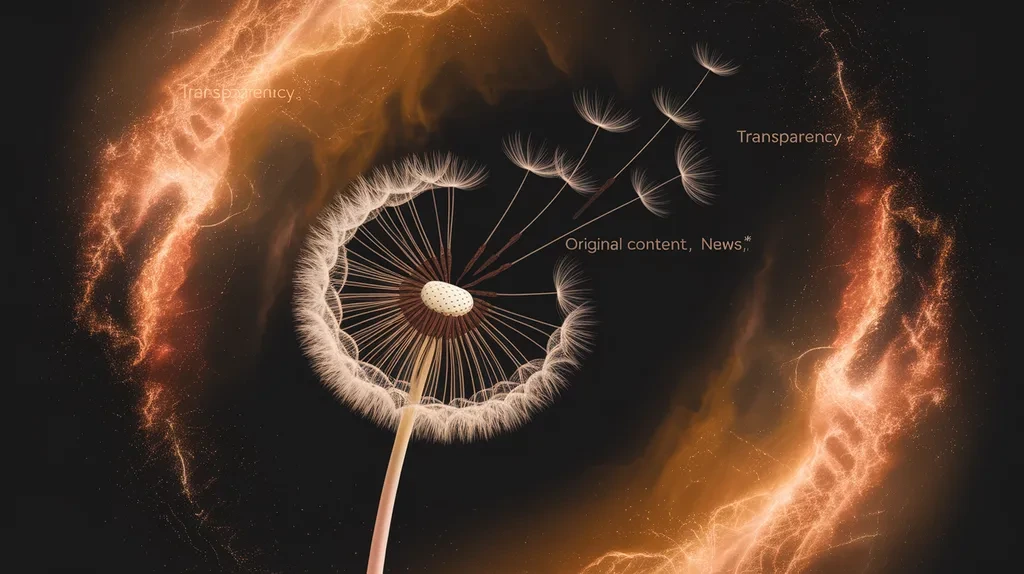
TikTok’s creator-tool developments show that the future of content creation is not only about generating material faster. It is also about helping audiences understand how content was made.
In July 2026, TikTok announced additional efforts around identifying and understanding AI-generated content. The company said it was expanding AI-literacy resources, testing improved detection systems for AI-generated spam, and strengthening transparency efforts through participation in the C2PA Steering Committee.
This is significant because AI-generated content can create uncertainty for viewers. Creators need to think about transparency, trust, originality, and audience expectations alongside production efficiency.
The broader lesson is that AI-assisted creation should not mean hiding the creative process. Responsible creators should understand platform policies and communicate clearly when disclosure is required. Trust can become a competitive advantage as audiences become more familiar with synthetic media.
Best Features to Look for in Modern Creator Tools
When evaluating new creator software, focus on features that solve genuine workflow problems. Ease of use, editing control, export quality, collaboration, integrations, automation, and reliability are often more important than having the largest feature list.
AI capabilities can be useful when they provide practical assistance. Examples include background removal, transcription, caption generation, image enhancement, editing suggestions, content resizing, brainstorming, and repetitive task automation.
Integration is another important consideration. A tool becomes more useful when it works smoothly with the applications you already use. Canva, for example, has announced connectors for services including Slack, Gmail, Google Drive, Google Calendar, Notion, Zoom, HubSpot, Microsoft, Atlassian, and Linear.
Creators should also evaluate control and editability. A generated result that cannot be adjusted may be less useful than an editable result that gives the creator full control over individual elements.
Free vs Paid Content Creator Tools
Free creator tools can be an excellent starting point, especially for beginners who are learning video editing, graphic design, writing, or social media production. They allow creators to test a workflow without making a large financial commitment.
Paid plans may provide higher limits, premium assets, advanced editing capabilities, collaboration features, larger storage, faster processing, or professional exports. The value depends on how frequently you use the tool and whether its advanced features solve a genuine problem.
The best strategy is not to subscribe to every new platform. Instead, identify the tasks that consume the most time and look for a tool that improves those tasks.
A simple evaluation process is useful: test the free version, measure the time saved, evaluate output quality, check usage limits, and then decide whether the paid plan provides enough additional value.
Pricing, Subscriptions, and Hidden Costs
Creator-tool pricing can be more complicated than a simple monthly subscription. Some services offer free tiers, while others use credit systems, usage limits, storage restrictions, export limitations, or premium AI features.
AI generation can introduce another consideration: usage-based costs. A tool might appear inexpensive until frequent video, image, or audio generation consumes credits.
Creators should also consider the cost of switching between tools. If a platform requires repeated downloading, uploading, format conversion, or manual copying, a cheaper subscription may not actually be cheaper in terms of time.
Before paying, check the current plan details, commercial-use terms, export restrictions, storage limits, collaboration options, and cancellation conditions. Total workflow value matters more than the advertised monthly price alone.
Integrations and All-in-One Creator Workflows
Integrations are becoming one of the most important developments in creator software. Modern creators often use multiple services for communication, storage, editing, publishing, scheduling, analytics, and collaboration.
Canva’s 2026 AI announcement illustrates this direction by describing connectors that allow its AI workflows to work with services such as Google Drive, Gmail, Slack, Zoom, Notion, and other productivity platforms.
Adobe is also expanding its ecosystem beyond traditional desktop applications. Its June 2026 announcement said Creative Cloud tools would be brought to AI platforms including ChatGPT, Claude, Copilot, Gemini, and Slack.
For creators, integrations can reduce context switching. Instead of repeatedly moving information between applications, connected tools can help keep project information together. This can be especially valuable for teams managing campaigns across multiple channels.
Alternatives and How to Compare Creator Tools
There is no single best content creation platform for everyone. The right choice depends on your content format, technical skill, budget, audience, and workflow.
A video creator may prioritize timeline editing, audio controls, captions, color tools, and export options. A graphic designer may care more about typography, layout control, vector editing, and brand systems. A social media creator may prioritize templates, scheduling, resizing, analytics, and fast publishing.
AI features should also be compared carefully. Ask whether the AI actually improves your workflow or simply adds another button. Useful AI should reduce repetitive work, improve accessibility, or help explore ideas without taking unnecessary control away from the creator.
When comparing alternatives, evaluate the complete workflow rather than one feature. A slightly less powerful tool may be the better choice if it is easier to learn, integrates with your existing setup, and helps you finish projects faster.
Common Mistakes Creators Make When Adopting New Tools
One common mistake is tool hopping. Creators may see a new AI editor or design platform trending online and immediately switch workflows. Constant switching can reduce productivity rather than improve it.
Another mistake is assuming that AI-generated output automatically equals high-quality content. AI can produce useful starting points, but creators still need to review facts, refine ideas, check visuals, and apply their own creative judgment.
Creators should also avoid ignoring licensing and platform rules. Before publishing commercially, understand how the tool handles generated assets, stock material, music, images, and other content.
Finally, do not let automation replace your creative identity. The strongest creator workflows usually use automation for repetitive tasks while preserving human storytelling, perspective, taste, and decision-making.
Latest Content Creator Tools Trends to Watch
One major trend is agentic AI. Instead of responding to one isolated command, newer systems increasingly attempt to coordinate multiple actions toward a larger objective. Canva and Adobe have both announced developments in this direction.
Another trend is AI-assisted video creation. The boundary between scripting, image generation, video editing, sound, and publishing continues to shrink as companies combine more capabilities within unified workflows.
A third trend is creator-focused hardware and mobile production. Google’s newly announced Pixel 11 Creator Suite, for example, targets everyday creators with features such as a teleprompter, vocal enhancement, external microphone controls, and social-media framing guidance.
Transparency is another major trend. YouTube has been improving AI labels, while TikTok has announced additional efforts around AI-generated content identification and education.
The Future of Content Creator Tools News

The future of creator tools will likely focus less on individual features and more on complete creative workflows. Instead of asking an application to perform one task, creators may increasingly describe an objective and let connected systems coordinate parts of the process.
This could mean creating a campaign concept, generating supporting assets, adapting them to different formats, organizing project files, preparing publishing materials, and scheduling content through a connected workflow.
However, automation will not eliminate the need for creative judgment. Adobe’s 2026 creator research found that 85% of surveyed creators believe the final creative decision should remain theirs, even as AI becomes more integrated into their work. The same report found that 75% described creative AI as integrated or essential to their workflow.
The future is therefore likely to be AI-assisted rather than creativity-free. The creators who benefit most may be those who understand how to combine automation with originality, critical thinking, technical skills, and a strong understanding of their audience.
Conclusion: Staying Ahead of Content Creator Tools News
The content creator tools news landscape in 2026 shows a clear movement toward smarter, more connected, and more automated creative workflows. YouTube is improving creator-facing discovery and thumbnail tools, Canva is expanding conversational and agentic creation, Adobe is integrating creative agents throughout Creative Cloud, and TikTok is investing in AI transparency and education.
For creators, the goal should not be to use every new tool. The better strategy is to identify the parts of the creative process that consume the most time and choose technology that addresses those bottlenecks.
The strongest workflow combines technology with human creativity. AI can assist with repetitive work, research, editing, organization, and production, while the creator remains responsible for ideas, storytelling, quality, accuracy, and audience connection.
As the industry develops, staying informed will become increasingly valuable. But the real advantage will come from knowing which updates matter and turning useful features into a consistent, efficient workflow.
FAQs About Content Creator Tools News
What does content creator tools news mean?
Content creator tools news covers new software, features, updates, integrations, AI capabilities, platform changes, and trends affecting people who create digital content.
What are the biggest creator-tool trends in 2026?
Major trends include agentic AI, AI-assisted video, automated workflows, integrated creative platforms, mobile creator features, personalization, and greater transparency around AI-generated content.
Are AI creator tools replacing human creators?
No. AI can automate or assist with many production tasks, but creators still provide ideas, judgment, storytelling, taste, context, and final creative decisions.
Are free content creator tools good enough?
Free tools can be very useful for beginners and casual creators. However, professional users may benefit from paid features such as higher limits, advanced editing, premium assets, collaboration, or additional automation.
What should I consider before choosing a creator tool?
Consider price, ease of use, output quality, integrations, editing control, export options, AI capabilities, licensing, privacy, and how well the tool fits your existing workflow.
Why are integrations becoming important for creators?
Integrations reduce repetitive file transfers and context switching. They can connect storage, communication, editing, research, scheduling, and publishing into a more efficient workflow.
What is agentic AI in content creation?
Agentic AI refers to systems designed to handle multiple connected actions toward a larger goal, rather than simply responding to one isolated instruction. Canva and Adobe are both developing creator workflows around this concept.
Why are AI labels becoming important?
AI labels can help audiences understand when content includes generative AI. YouTube and TikTok have both announced efforts to improve transparency and understanding around AI-generated content. (blog.youtube)
Should creators use multiple content creation tools?
Yes, if each tool solves a specific problem. However, using too many disconnected applications can reduce efficiency. A smaller, well-integrated toolkit is often easier to manage.
How often should creators check tool updates?
Creators do not need to follow every announcement. Checking important updates regularly—especially for the platforms you depend on—can help you discover useful features without becoming distracted by constant tool changes.