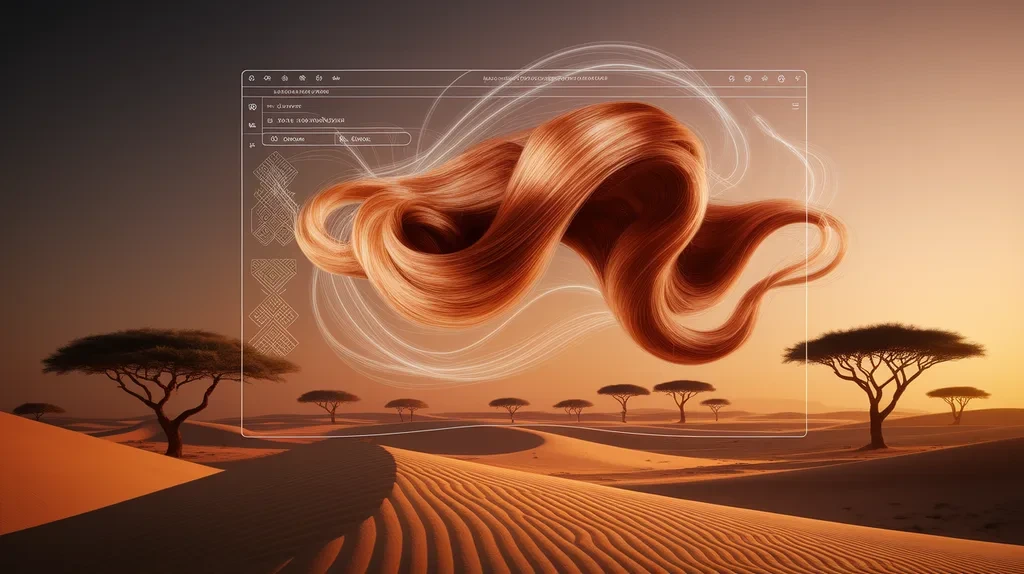
Designing wigs traditionally can involve significant time, repeated adjustments, and careful attention to shape, color, texture, and proportions. AI wig design software tools are changing this process by helping designers visualize concepts, experiment with styles, and create digital wig designs more efficiently. These tools can support wig makers, hairstylists, beauty brands, costume designers, and creative professionals who want to explore ideas before producing a physical wig. AI-powered features can assist with style generation, image editing, color experimentation, virtual visualization, and design variations
. Instead of starting from scratch for every concept, users can use automation to explore multiple possibilities quickly. This can improve productivity, creativity, efficiency, and design accuracy. As AI technology develops, digital wig design is becoming more accessible and flexible, giving creators new ways to test ideas and communicate their concepts.
What Are AI Wig Design Software Tools?
AI wig design software tools are digital applications that use artificial intelligence to help users create, modify, visualize, or plan wig designs. Depending on the platform, they may work with text prompts, uploaded images, templates, digital sketches, or virtual models.
These tools can assist with different parts of the design process. For example, a user might experiment with a bob, layered hairstyle, long waves, curls, bangs, or a completely customized concept. AI can generate variations or help modify an existing visual concept.
The main purpose is not necessarily to replace professional wig designers. Instead, AI can act as a creative assistant. It can speed up idea generation and make it easier to compare different possibilities before moving to physical production.
This is particularly useful when a designer needs several concepts for a customer, product collection, photoshoot, theatrical production, or beauty campaign.
How AI Wig Design Software Works
Most AI design platforms rely on machine learning and image-processing technology. The software analyzes visual information and uses trained models to generate or modify images according to the user’s instructions.
Some platforms allow users to upload a photo and describe the desired hairstyle. Others provide digital canvases, templates, or virtual models. Depending on the software, AI may recognize areas such as hair, face shape, or background before applying changes.
A typical workflow can look like this:
Upload or create an image → select a hairstyle → adjust design details → experiment with color and texture → review variations → export the concept.
The quality of the result depends on the software, input image, instructions, and editing controls. Clear instructions usually produce more predictable outcomes.
For professional work, designers should treat AI-generated visuals as concepts rather than guaranteed physical results. Hair density, cap construction, fiber type, lace, ventilation, and manufacturing limitations can affect the final wig.
Key Features to Look for in AI Wig Design Software
The best software depends on the designer’s goals, but several features can provide strong practical value. AI image generation and editing are useful for exploring different hairstyles without manually creating every variation.
Another valuable feature is color customization. Designers may want to compare natural shades, highlights, ombre effects, fantasy colors, or combinations before making a final decision.
Virtual visualization can also be important. A tool that places different hairstyles on a model or reference image can make it easier to communicate ideas with customers.
Other useful capabilities include:
- Hairstyle generation
- Hair color experimentation
- Background editing
- Image enhancement
- Style variations
- Digital sketching
- Reference image support
- Export options
- Template libraries
- Layer-based editing
- Commercial-use controls
When comparing tools, prioritize features that directly support your workflow instead of choosing software simply because it has a long feature list.
Benefits of Using AI for Wig Design
One of the biggest advantages of AI wig design software is speed. A designer can explore multiple concepts in a short amount of time rather than manually creating every version.
AI can also support creativity. When designers become stuck on an idea, generating several variations can provide new directions. A simple concept can become a starting point for a more detailed professional design.
Another benefit is improved communication. Customers may struggle to understand a verbal description of a hairstyle. A visual concept can make the proposed design much easier to discuss.
AI tools can also reduce repetitive work. For example, changing colors across several concept images manually can take time. Automated editing can make this process more efficient.
For businesses, these advantages can contribute to faster client communication, better concept presentation, and more efficient design workflows.
Common Use Cases for AI Wig Design Tools
AI wig design technology has applications across several creative industries. Wig makers and hairstylists can use digital concepts to discuss potential styles with customers before beginning physical work.
Beauty brands can use generated concepts for marketing campaigns, product visualization, social media content, and promotional materials. Designers can also create collections by exploring multiple hairstyles and color combinations digitally.
Costume and entertainment professionals may use AI-assisted concepts when developing character hairstyles. Digital visualization can help teams communicate ideas during the planning stage.
Ecommerce businesses may also benefit from digital design workflows. Concept images can help teams plan product photography, campaign themes, and future collections.
For individual users, AI tools can provide inspiration when deciding what type of wig or hairstyle they might want to explore. However, generated images should not be treated as a guarantee that a particular physical style will look identical in real life.
AI Wig Design Software for Beginners

Beginners do not necessarily need advanced professional software. A simple interface, clear controls, and easy image editing can be more valuable than a large collection of complicated features.
Start with basic tasks such as changing hair colors, exploring hairstyle shapes, and generating simple variations. Learning these functions first makes it easier to understand how AI-assisted design works.
When testing a tool, use a high-quality reference image with good lighting and a clear view of the hairstyle. Poor input images can make editing less predictable.
Beginners should also compare several outputs instead of immediately accepting the first AI-generated result. AI can sometimes create unrealistic hair textures, inconsistent details, or designs that would be difficult to manufacture.
A practical beginner workflow is:
Choose a clear reference → describe the desired style → generate variations → compare results → refine the best concept → save the final reference.
Advanced AI Wig Design Workflows
Experienced designers can combine AI with traditional digital design software for greater control. AI can handle concept generation while professional editing applications provide precision and consistency.
For example, a designer might generate several hairstyle concepts with AI and then manually refine the strongest version. They can adjust proportions, clean unwanted details, refine colors, and prepare the image for presentation.
Advanced workflows can also involve style libraries and reusable design references. A designer who regularly creates similar products can organize references by length, texture, color, construction, or customer preference.
For commercial projects, consistency becomes particularly important. AI-generated images can vary between outputs, so professional review remains necessary.
A strong workflow combines automation with human quality control. AI can accelerate the creative process, while the designer makes the final decisions.
Free vs Paid AI Wig Design Software
Some AI design platforms provide free features, while others use subscriptions, credits, or pay-per-use pricing. Free tools can be useful for learning and experimenting without a financial commitment.
However, free plans may include limitations such as lower resolution, fewer generations, watermarks, restricted editing features, or limited commercial usage.
Paid plans may provide higher-quality exports, more advanced controls, greater usage limits, and additional creative features. The best option depends on how frequently you use the software.
Before paying for a subscription, check:
- Monthly or annual pricing
- Generation limits
- Export resolution
- Commercial-use rights
- Watermark policies
- Storage limits
- Editing capabilities
- Cancellation terms
For occasional personal experimentation, a free plan may be sufficient. Professional designers and businesses may benefit from paid features when the software becomes part of their regular workflow.
Pros and Cons of AI Wig Design Tools
AI wig design software provides several advantages, but it also has limitations.
Pros include:
- Faster concept generation
- More creative experimentation
- Easy style variations
- Faster color testing
- Better visual communication
- Reduced repetitive editing
- Useful inspiration for new designs
However, AI should not be viewed as perfect.
Potential limitations include:
- Inconsistent generated details
- Unrealistic hair textures
- Limited control in some applications
- Difficulty representing physical construction
- Possible copyright or licensing concerns
- Variation between generated results
- Dependence on image quality
Another important limitation is that a digital image cannot always represent how a physical wig will behave. Real-world factors such as fiber movement, density, cap construction, and styling technique matter.
Therefore, AI works best as a design and visualization assistant, not as a complete replacement for professional expertise.
AI Wig Design Software vs Traditional Design Methods
Traditional wig design relies heavily on physical materials, professional experience, measurements, styling techniques, and manual experimentation. This approach remains essential because physical production determines how a finished wig actually looks and performs.
AI adds a digital layer to this process. Instead of immediately producing every physical variation, designers can visualize several concepts first.
This can reduce unnecessary experimentation. For example, if a customer is deciding between three colors or several lengths, digital concepts can help narrow the choices before production.
The strongest approach is often a hybrid workflow. AI supports brainstorming and visualization, while traditional methods handle physical construction, fitting, styling, and quality control.
This combination can provide both creative flexibility and practical accuracy.
Integrations and Creative Workflow Compatibility
Integration matters when AI wig design software becomes part of a larger creative workflow. Designers may want to move AI-generated concepts into image editors, graphic design applications, ecommerce platforms, presentation tools, or social media workflows.
Useful export formats can make this process easier. High-resolution images are especially important when designs will appear in catalogs, websites, advertisements, or presentations.
Some users may also combine AI-generated concepts with digital illustration tools. This allows them to create a rough concept with AI and then manually refine the details.
Before selecting software, consider how easily it fits into your existing workflow. A powerful tool that creates excellent images but makes exporting or editing difficult may not provide the best long-term value.
How to Choose the Best AI Wig Design Software
Choosing the right tool starts with defining your primary purpose. If you mainly need inspiration, a simple AI image generator may be enough. If you need customer visualization, look for strong image-editing and virtual-style features.
Professional designers may need more control over editing, image quality, file formats, and commercial licensing.
Consider these factors:
Ease of use: Can you learn the interface quickly?
Design flexibility: Can you experiment with different lengths, textures, colors, and styles?
Image quality: Are the generated results detailed and realistic enough for your purpose?
Editing controls: Can you refine the output instead of accepting a single AI result?
Pricing: Does the cost match your usage?
Licensing: Can you legally use the generated images for your intended purpose?
Workflow compatibility: Can you export and continue editing your designs elsewhere?
Testing several platforms before making a long-term commitment is often the most practical approach.
Common Mistakes to Avoid When Using AI Wig Design Tools
One common mistake is giving AI vague instructions. Instead of using a short description such as “create a wig,” provide useful design information such as approximate length, texture, color direction, and overall style.
Another mistake is relying completely on generated results. AI can produce attractive visuals that may not translate perfectly into physical wig construction.
Users should also avoid ignoring image rights and commercial licensing. If a design will appear in advertisements, product listings, or paid campaigns, review the platform’s terms before publishing it.
Poor reference images can create another problem. Use clear, well-lit images whenever possible and check the generated result carefully.
Finally, avoid generating dozens of random concepts without a clear goal. AI works best when creativity has direction. Start with a specific objective, generate variations, select the strongest ideas, and refine them.
Latest Trends in AI Wig Design for 2026

AI-assisted visual design is moving toward more interactive and personalized workflows. Instead of generating one image from a basic prompt, modern systems increasingly focus on controlled editing, image consistency, personalization, and iterative refinement.
Another important trend is the combination of AI image generation with virtual visualization. This can help users explore how different hairstyle concepts may appear before making physical decisions.
Personalized design is also becoming more valuable. Customers increasingly expect experiences tailored to their preferences, including color, length, texture, and overall style.
Businesses are also using AI-generated visuals for content production. Product concepts, social media graphics, campaign ideas, and early-stage marketing visuals can be produced more efficiently.
However, human review remains important. Better AI does not remove the need for professional judgment, especially when a digital concept must become a physical product.
Future of AI Wig Design Software Tools
The future of AI wig design software tools will likely focus on greater control, realism, personalization, and integration with professional workflows. As AI models improve, designers may gain more precise control over individual design characteristics.
Future tools could make it easier to maintain consistent hairstyle details across multiple images. This could be valuable for ecommerce catalogs and beauty brands that need consistent product presentation.
We may also see stronger connections between digital design and physical production. Digital concepts could become more useful during product planning, customization, and customer consultation.
Another potential development is more interactive design. Instead of generating a complete concept repeatedly, users may be able to adjust specific elements while preserving the rest of the design.
Despite these advances, professional expertise will remain valuable. AI can generate possibilities, but human designers provide judgment, creativity, craftsmanship, and real-world understanding.
Conclusion
AI wig design software tools are becoming valuable resources for designers who want to combine creativity with faster digital workflows. They can help generate hairstyle concepts, experiment with colors and textures, visualize ideas, communicate with customers, and reduce repetitive design work. For beauty brands, wig makers, stylists, costume designers, and creative professionals, these capabilities can make early-stage design more flexible and efficient.
However, AI should support professional creativity rather than replace it. Generated images may not perfectly represent physical wig construction, materials, density, movement, or styling requirements. Human review remains essential when turning a digital concept into a real product.
The best approach is to choose software based on your actual needs, test its image quality and controls, and understand its pricing and usage rights. Whether you are a beginner exploring ideas or a professional developing commercial concepts, combining AI automation with human expertise can create a more productive design process. As AI continues to evolve, wig design will likely become even more visual, personalized, and efficient.
FAQs About
What are AI wig design software tools?
They are digital tools that use AI to help create, edit, visualize, or experiment with wig and hairstyle concepts.
Can AI design a complete wig?
AI can create digital wig concepts and visual references, but physical wig construction still requires appropriate materials, techniques, measurements, and professional skills.
Are AI wig design tools free?
Some offer free plans or limited features, while others require subscriptions, credits, or paid licenses. Features and usage limits vary by platform.
Can AI change the color of a wig design?
Yes. Many AI-powered image editing tools can help visualize different hair colors, highlights, gradients, and other color combinations.
Are AI-generated wig designs realistic?
They can be visually realistic, but results vary. AI may sometimes create inaccurate hair textures, proportions, or details, so users should review every result.
Can beginners use AI wig design software?
Yes. Many AI-powered design applications are designed to be accessible to beginners. Starting with simple image generation and editing tasks can make the learning process easier.
Can businesses use AI-generated wig designs?
Potentially, but businesses should check the specific platform’s licensing and commercial-use terms before using generated images in advertisements, product listings, or other commercial materials.
Is AI better than traditional wig design?
AI and traditional design serve different purposes. AI is useful for visualization and idea generation, while traditional expertise remains important for physical construction, fitting, styling, and quality control.
What should I look for in AI wig design software?
Look for image quality, editing control, style flexibility, ease of use, export options, pricing, commercial rights, and workflow compatibility. Choose features that match your actual design needs.